This release adds capture of traffic violations for failure to yield to public transit vehicles, runs more analytics per camera, and delivers clearer Logbook records — including CSV export and precise video playback history.
New feature
Traffic Violations for Failure to Yield to Public Transit Vehicles
The platform captures vehicles that fail to yield to buses and other scheduled public transit — with evidence ready for review.
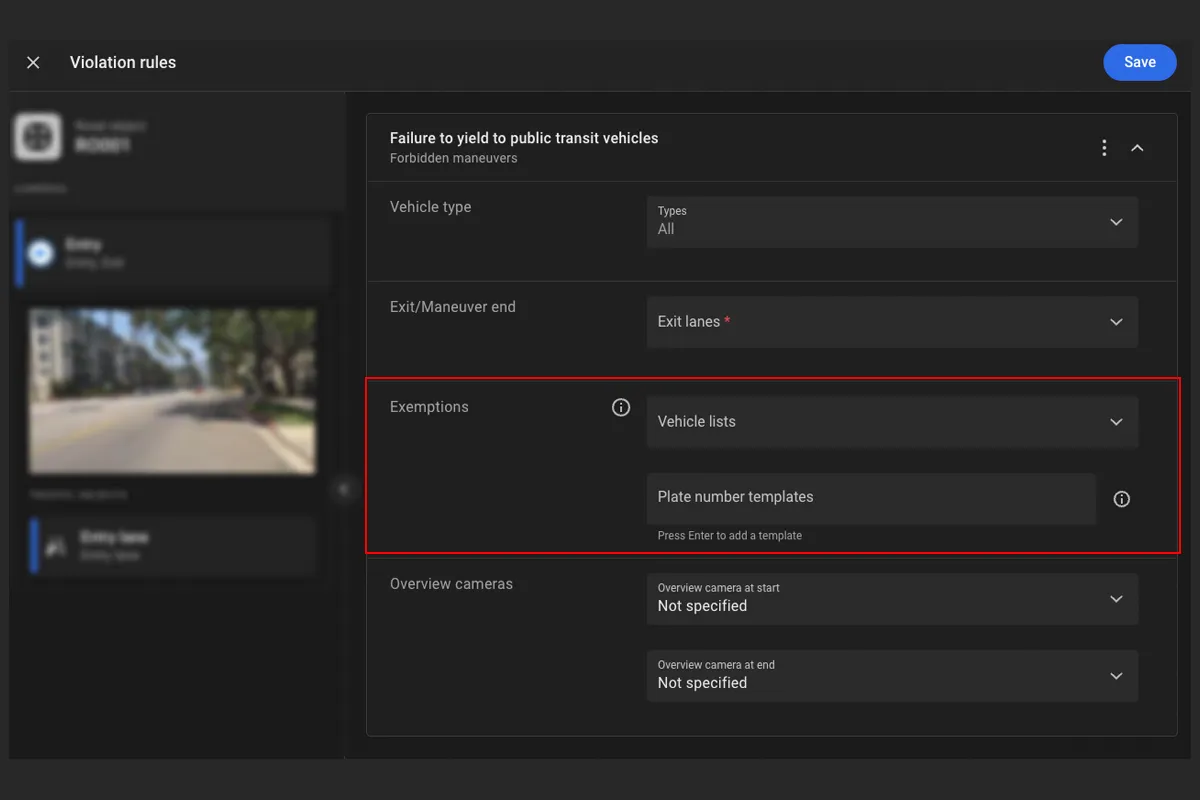
Detection of these traffic violations is configured through Violation rules of the Forbidden maneuvers type, which specify the vehicle lists and plate number templates allowed on a given road segment. A new Plate number templates tab on the Settings page supports creating and managing those templates — so consistent rules can be applied on transit corridors, with clear evidence for review when a vehicle fails to yield.
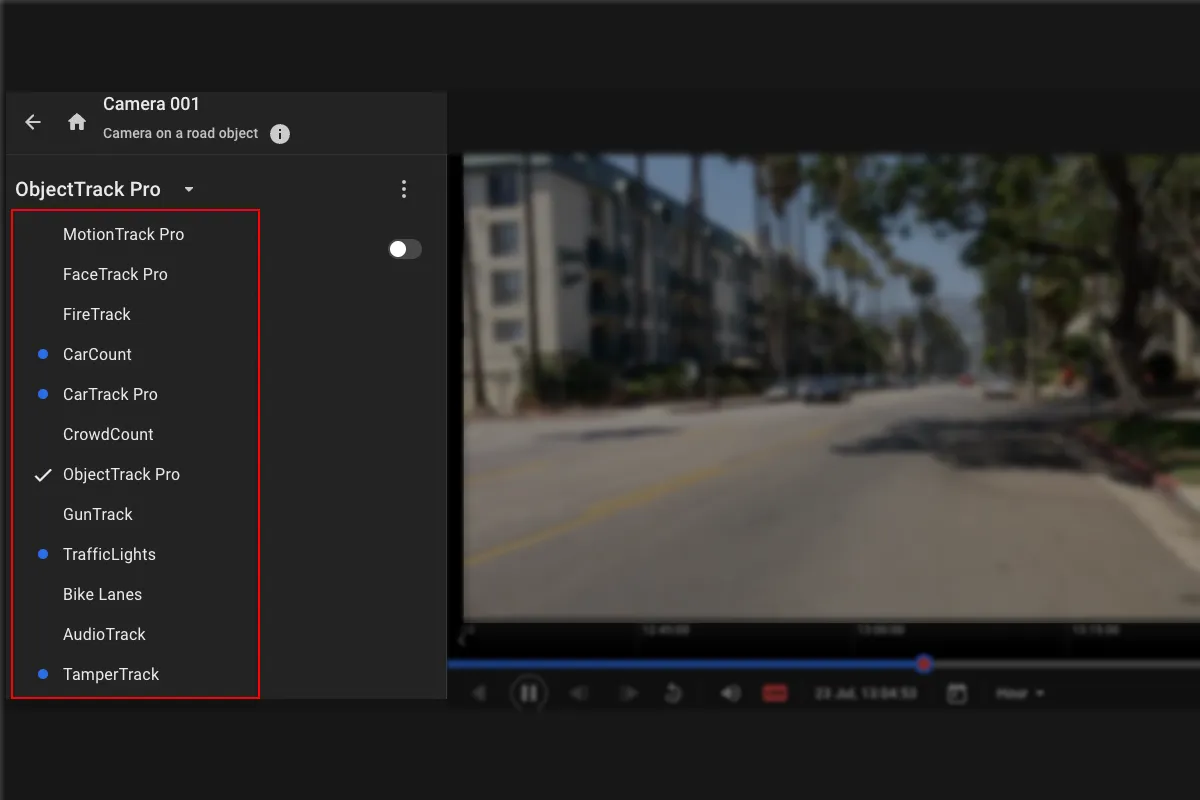
The platform runs several video analytics modules on a single camera at the same time — more insight from cameras already in place.
For example, face recognition, object tracking, and traffic monitoring can run on the same camera — without extra hardware or duplicated video streams. That expands coverage without adding cameras and simplifies deployments while keeping GPU and bandwidth use efficient.
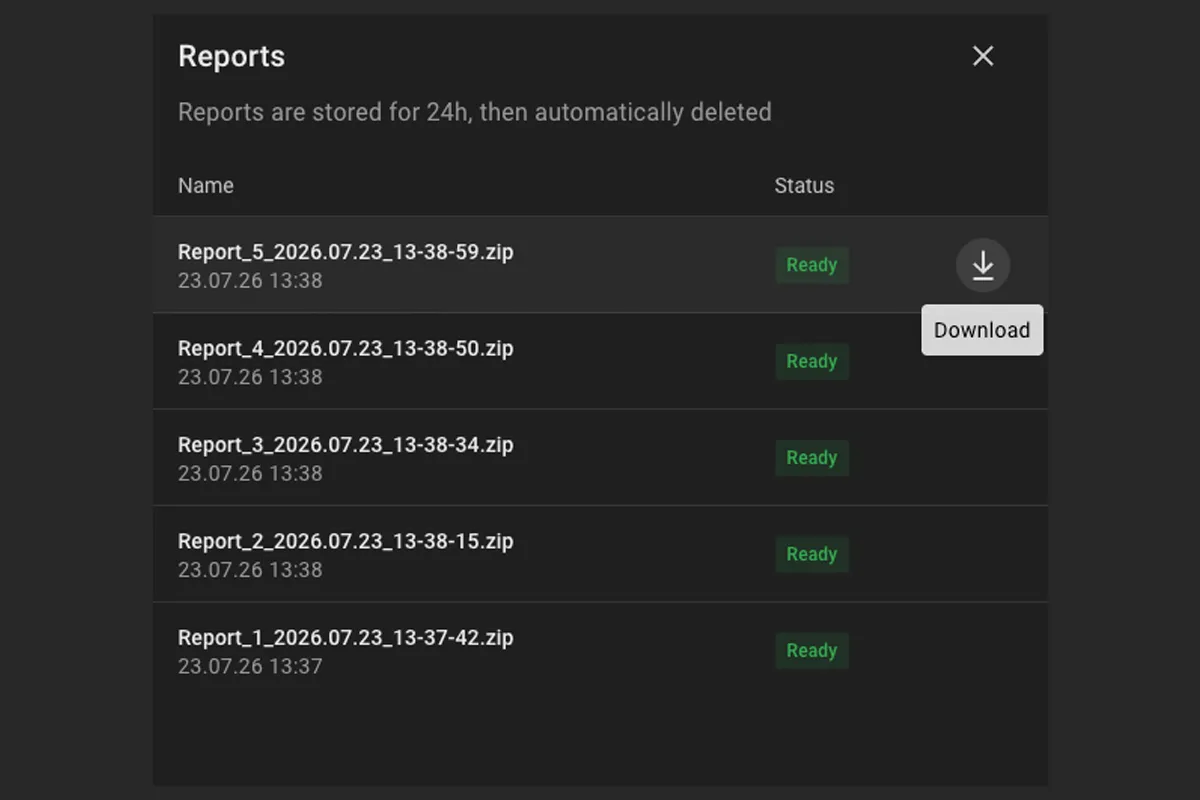
The Logbook can generate a CSV report — ready for audits and analysis.
The report includes the Logbook entries that match the selected search criteria and stays available to view and download for 24 hours. Every download is itself recorded as a Logbook report downloaded event, so exports remain accountable. The report can be shared with auditors, fed into BI tools, and kept as a defensible record of what was accessed and by whom.
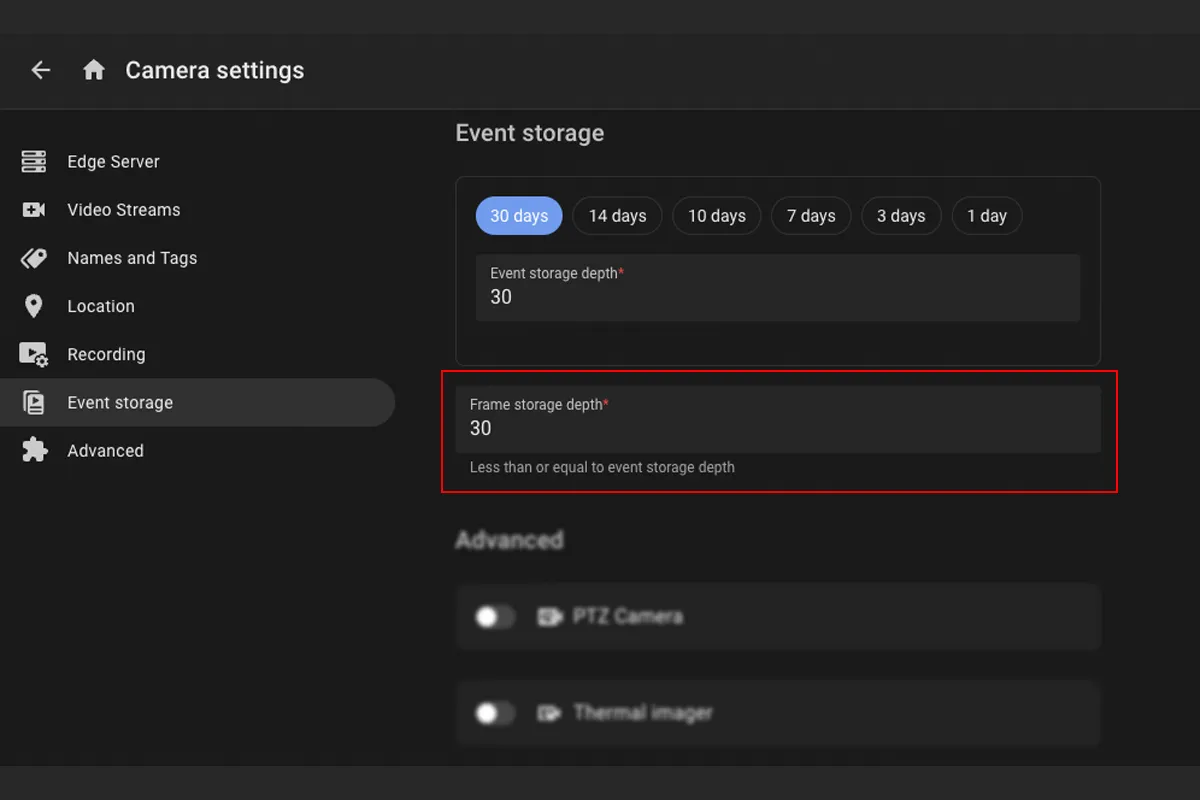
Event video frames have their own retention period, separate from the events themselves.
The frame retention period can’t exceed the event retention period. Once frames expire, the event card shows the default system image; the event record itself remains available until the event retention period ends.
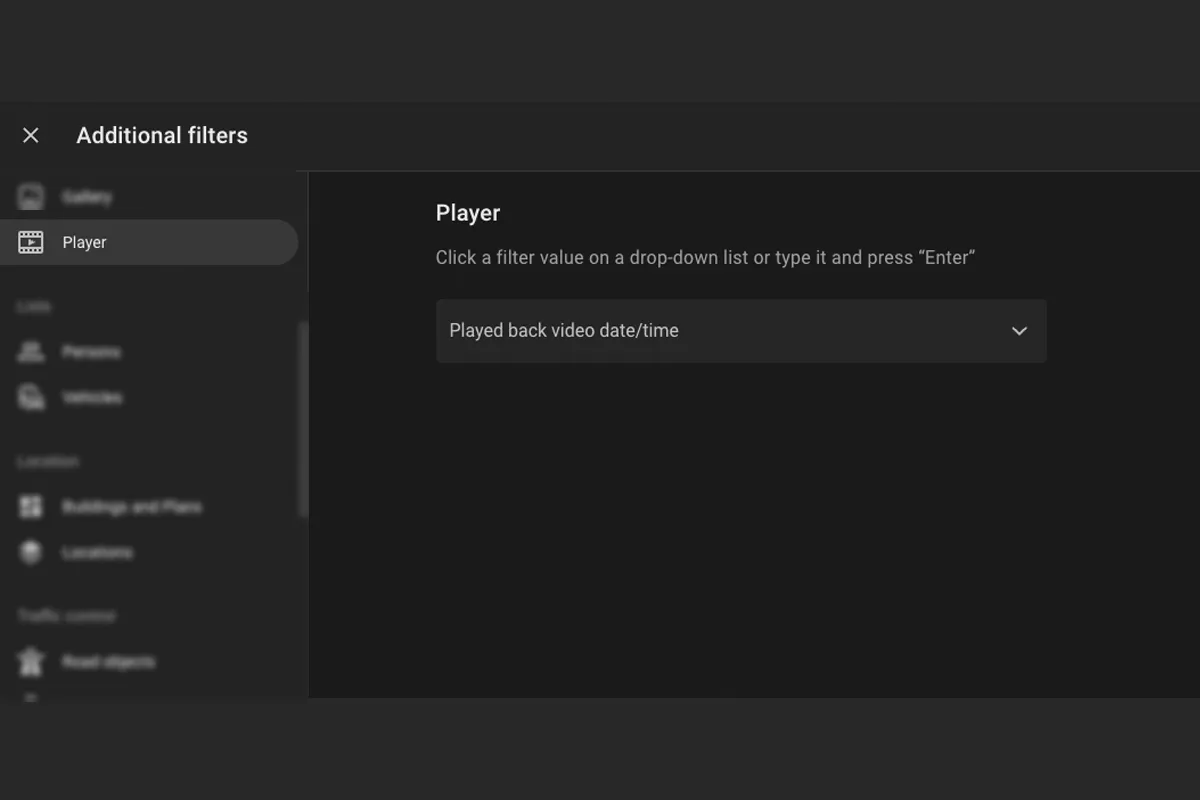
Logbook entries for live and archived playback record when playback ended, with a new filter to search by interval.
Detail cards for Live video loaded and Archived video loaded entries now show the played-back video end time. The platform records these entries when playback ends, or every three hours during long sessions. A new Played back video date/time filter supports search by the exact playback interval — a precise, searchable record of who viewed which footage, and for how long.
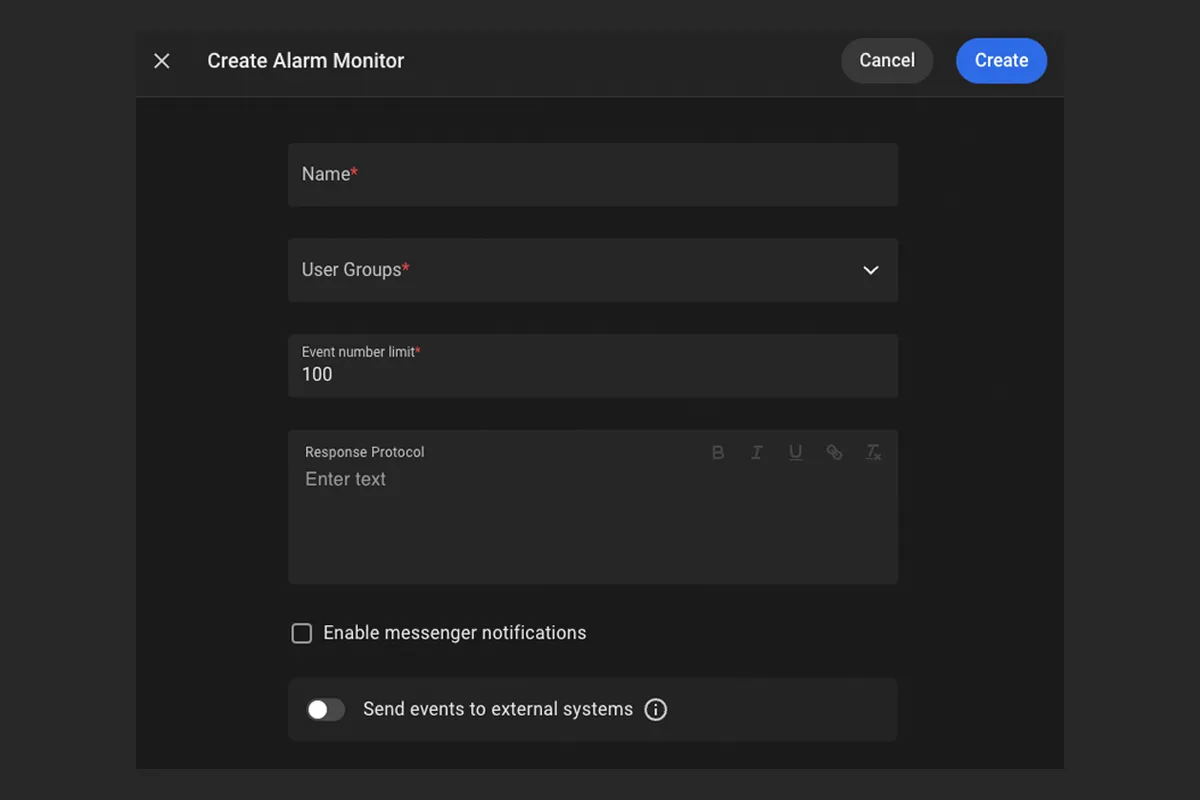
The Alarm Monitor create and edit forms have a refreshed design — a clearer layout and updated labels.
Creating and editing an Alarm Monitor is easier to follow — a more structured field order, with updated labels and hints. The former Use webhook field is renamed to Send events to external systems.