
Bike Lanes
What It Is For
Cameras having "Bike Lanes" installed and set up, monitor bike lanes in public spaces (road segments, parks, etc.) to detect obstacles to bike traffic on them, such as pedestrians, strollers, skateboard riders, etc. This helps prevent incidents involving bike riders and other actors.
How It Works
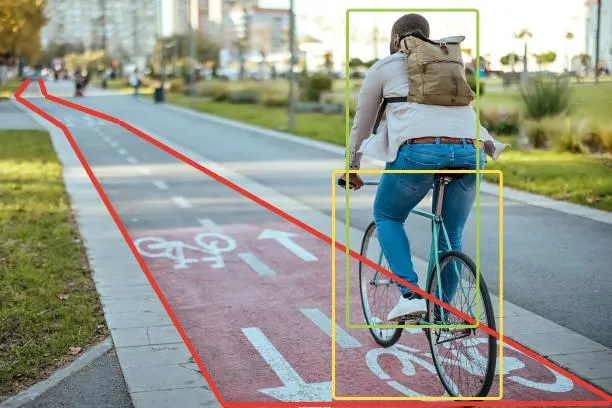
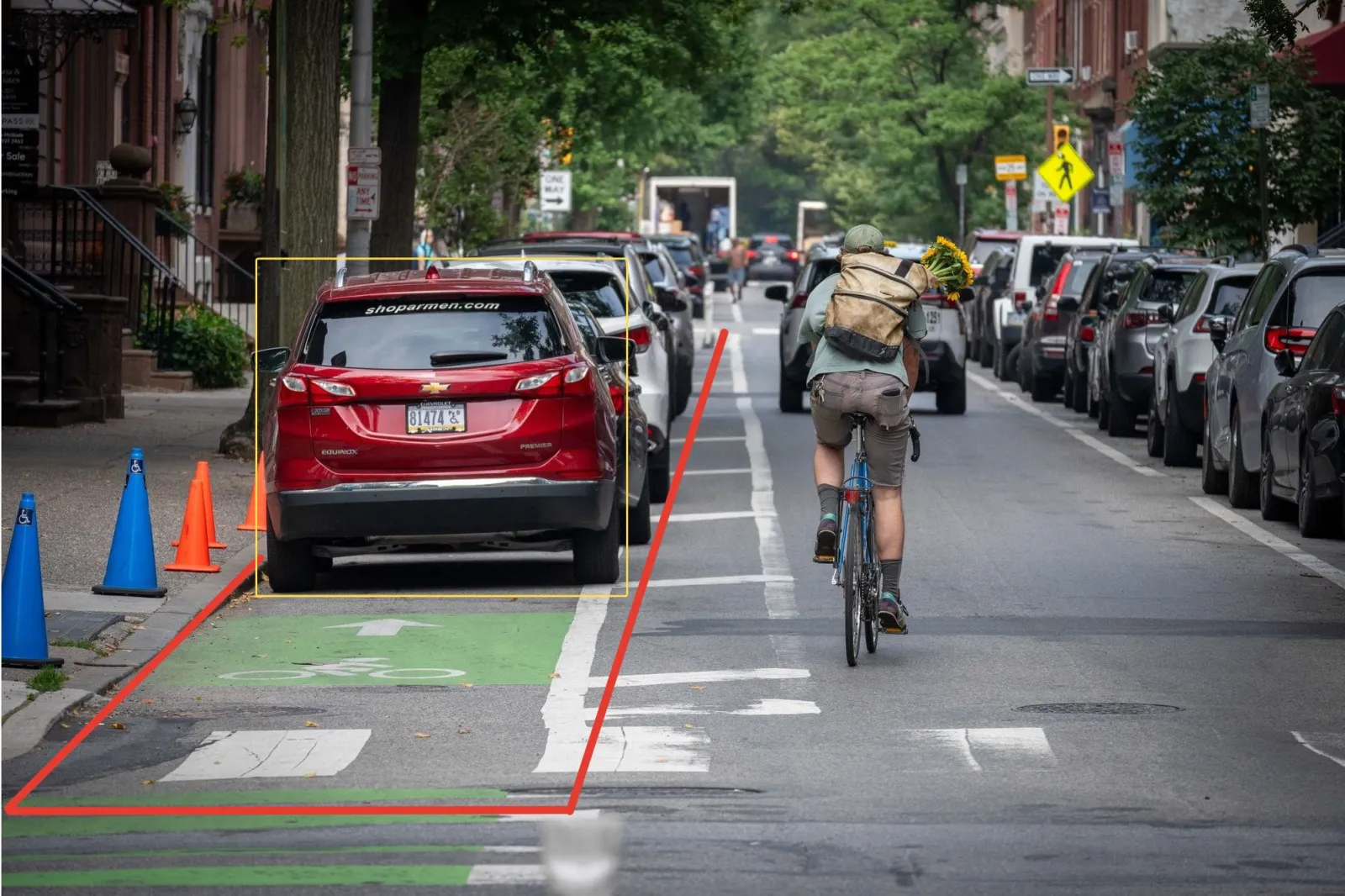
In the core of the module there is a CNN trained to recognize humans, bikes, cars, dogs, and some other object types in the incoming video stream from a camera. Whenever a bike and a human are found in a bike lane at a time, and their bounding boxes appear close enough, the module triggers a "Bike" event (left). Other human-to-bike spatial configurations, or objects of other types in bike lanes, are classified as "Not a bike" (right).
Camera Mount Requirements
- Keep the camera pan, tilt and roll within 45° according to the scheme.
- Camera-to-object distance and zoom should ensure the typical object size of 4000 - 5000 px in square.
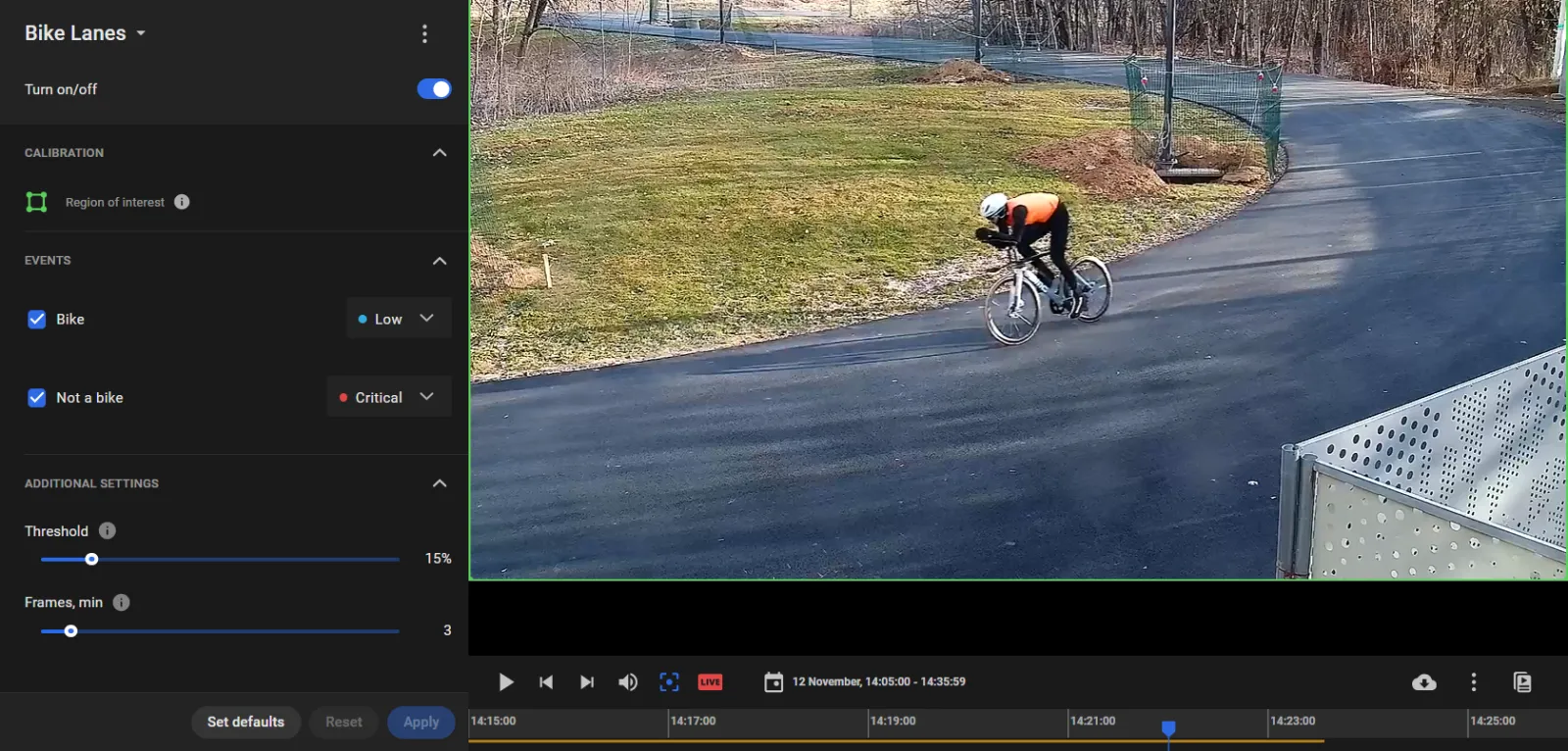
Set Up the "Bike" and "Not a bike" Events
- Tick the event types ("Bike", "Not a bike") to generate and assign a priority to each.
- Threshold is the minimum similarity between an object and bike to trigger a "Bike" event.
- Frames, min is the minimum number of frames, in which a bike or other object should be found to trigger a "Bike" or "Not a bike" event.
- Click Apply.
Review the Events
Do so on the Events screen with Analytics modules = Bike lanes and more conditions according to need.
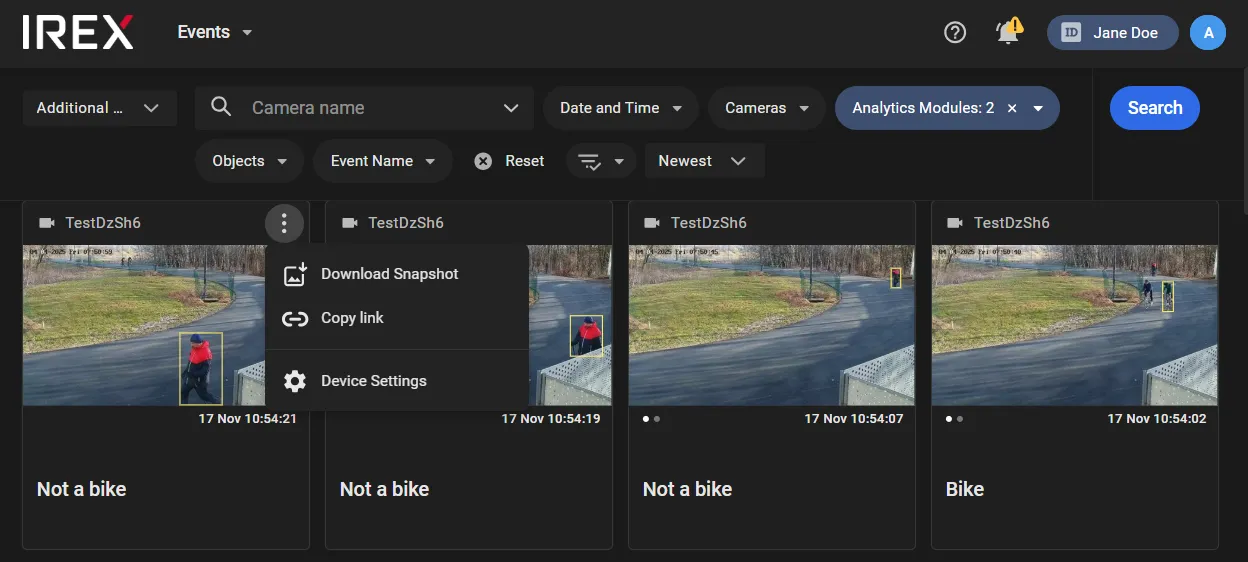
Use the commands in the three-dot menu on the event card to download event snapshots, share links to the video, or go to the video analytics settings page.