
Crossroads Control
CarTrack Pro plays a major role in the detection of traffic rule violations at crossroads, crosswalks, and other road objects. Its function is to detect maneuvers of vehicles between the entry and exit traffic lanes, which the software logic compares against the rules to output violation events. This function requires CartTrack Pro to "know" where these lanes are, so the user "explains" it by building them on the ROAD OBJECTS tab in the module settings and right in the frame.
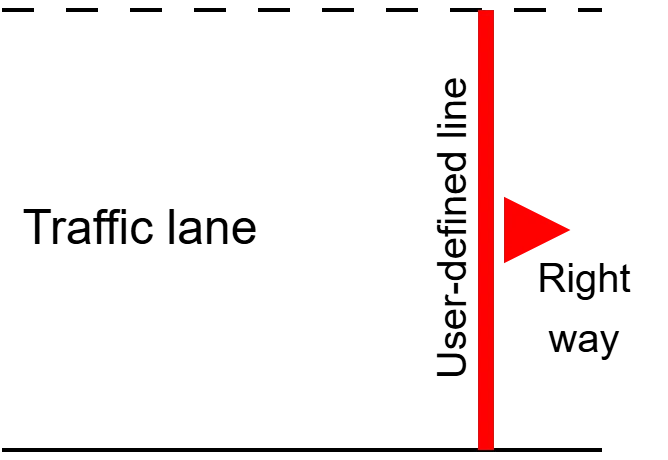
Technically, to build a lane means to draw a line across it and show the right direction, e.g., like this:
- Go to the TRAFFIC OBJECTS tab on the CarTrack Pro settings pane of the camera meant to monitor the entry to the crossroads.
- Click the "+", then select Entry lane on the menu to build the entry lane, e.g., as shown below, thus marking the entry lane in the planned traffic lights violation.
- Give the line a self-explanatory name, e.g., "In" to make it easier to combine the lanes into a rule later.
- On the camera meant to monitor the exit, click the "+", then select Exit lane on the menu to build the exit line, e.g., as shown to detect a "Forbidden right turn" violation.
- Click Apply.
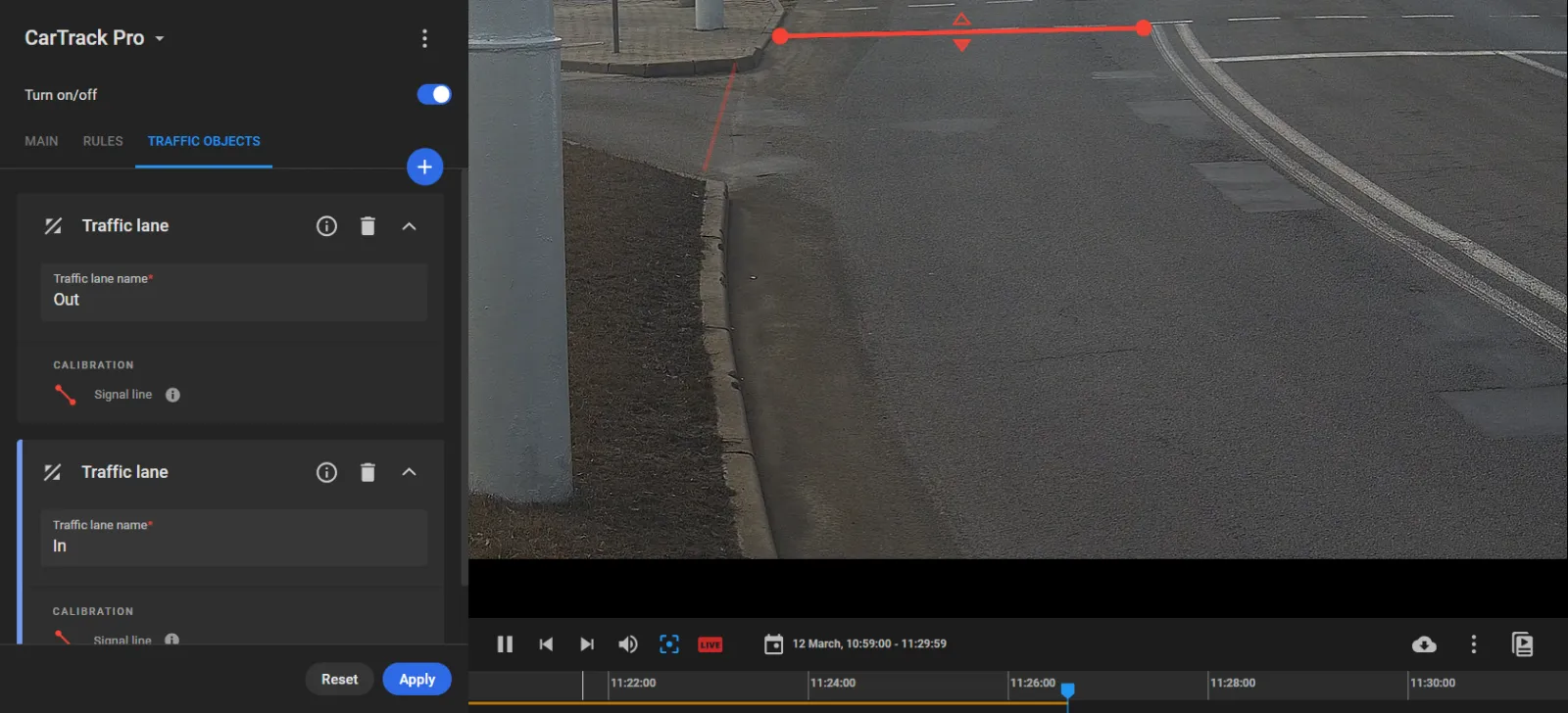
Pay attention to the correct line crossing direction marked with a red triangle; change it with a click where needed.
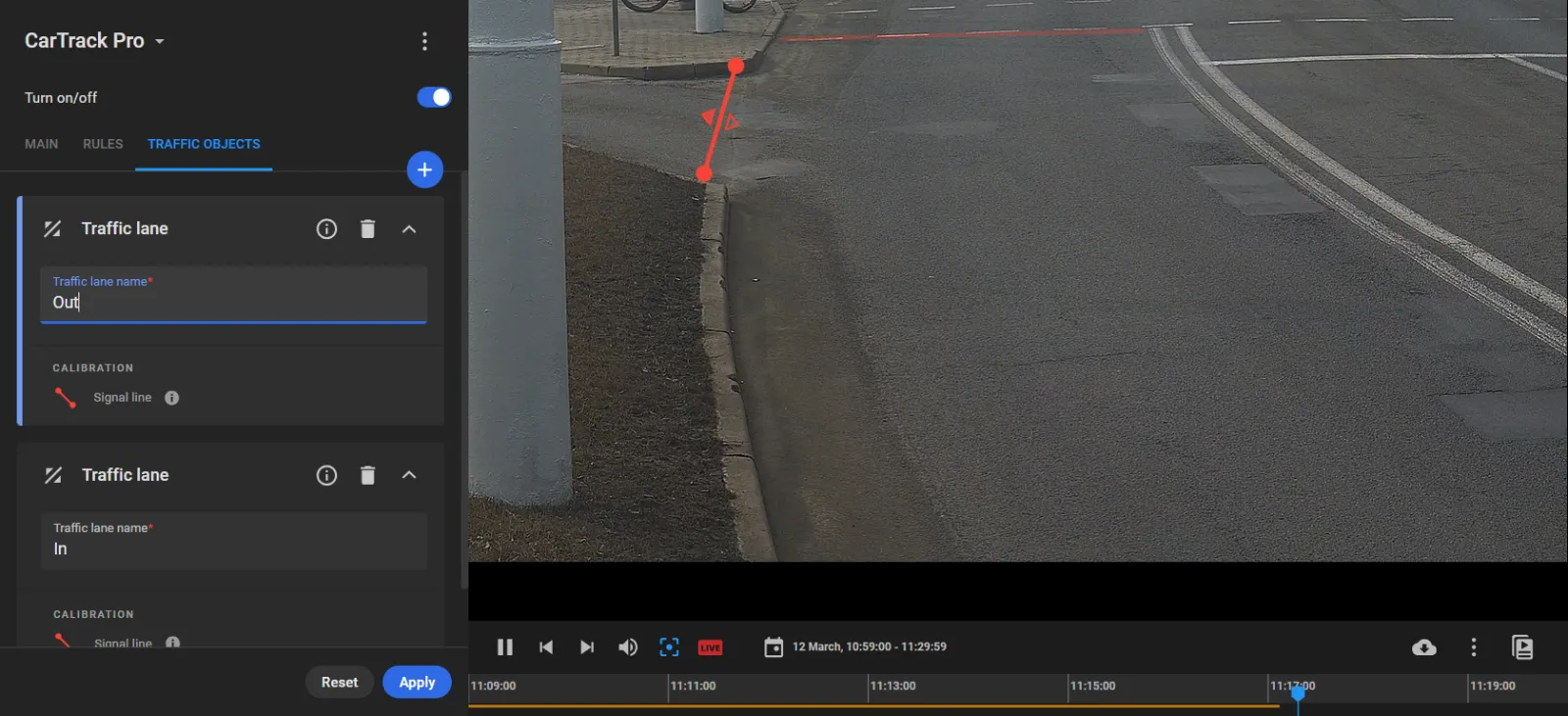
Pay attention to the correct line crossing direction marked with a red triangle; change it with a click where needed.
Give the line a self-explanatory name, e.g., "Out" to make it easier to combine the lines into a rule later.