
Edge Servers
Edge server system architecture allows lower channel requirements, thus stabilizing and speeding up the system performance. Such servers are created and incorporated into the system by the system installation and deployment teams; then the Admins open access of user groups to those servers for further use.
To provide access of a user group to an existing edge server:
-
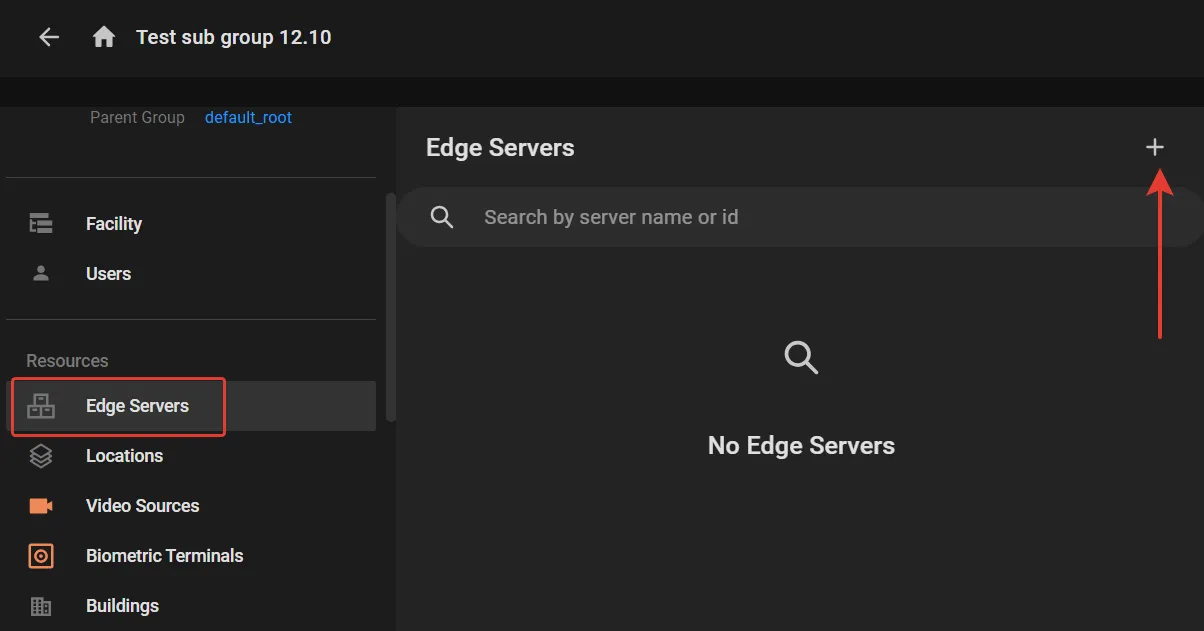
In the Edge servers section on the user group's screen, click the "+" as shown to open a list of edge servers not assigned to that group yet.
- Checkmark the edge servers to open access to and click Add.
To cancel access of a user group to an edge server, checkmark it in the Edge servers section on the user group's screen and click the "Bin" button.