
Find Traffic Rule Violations
The action requires a Case ID to be provided.
CarTrack Pro video analytics module can detect traffic rule violations at crossroads, squares, pedestrian crossings, etc., such as forbidden turns and U-turns, wrong-way driving, and others, according to the module settings. To find and review such events, click Traffic violations in the main menu. The screen of the same name opens, showing two new filters, specifically:
- Violation names — for finding violation events by their names.
- Road objects — for finding violation events by their locations.
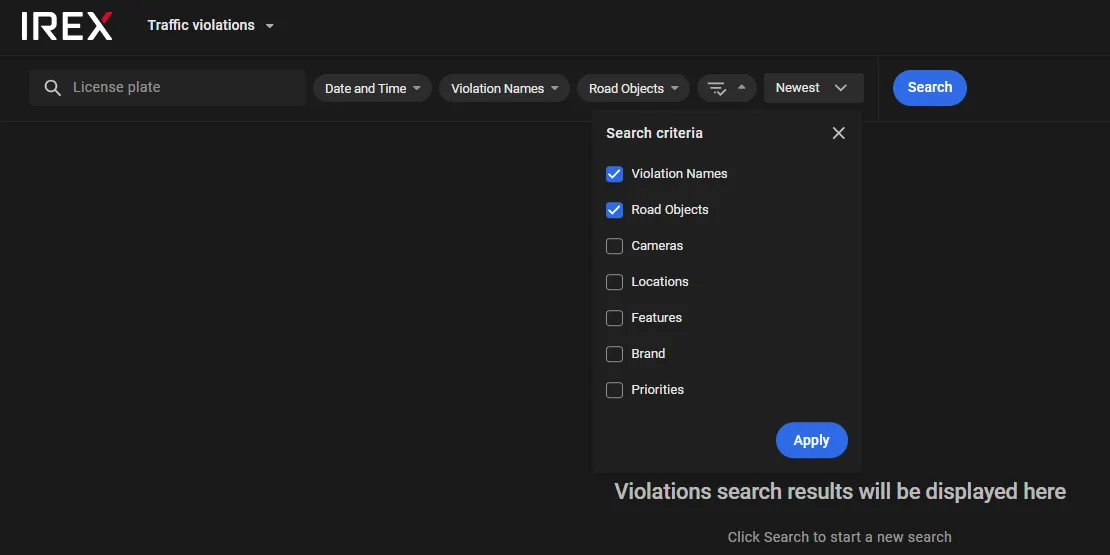
Other filters work exactly in the same manner as on the Events screen.
Find Violations at a Road Object
Traffic rule violations can be detected within fragments of the road network, referred to further below as road objects, each under its own name. These can be crossroads (e.g. “Broadway and the 5-th”), squares (e.g. “Times Square”), and others. To find all violation events at a road object, checkmark it under the Road objects, then click Apply and Search.
Learn more about road objects.
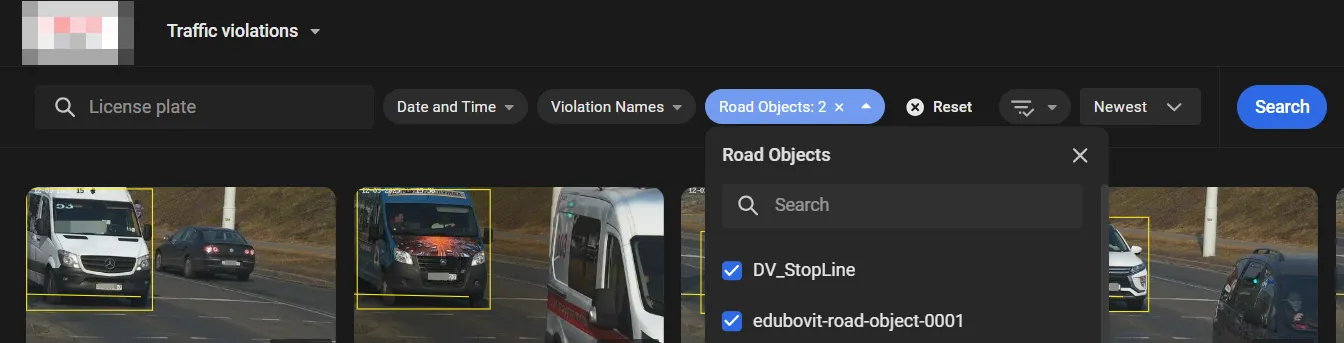
Find Violations by Name
When being set up, a traffic violation gets its own name, e.g., like this or that. All existing violation names are accumulated on the Violation names list on the Traffic violations screen, from which the relevant ones can be selected.
Learn more about detectable violations.
Violation Card
On the Traffic violations page, each traffic violation is represented by a card in the view:
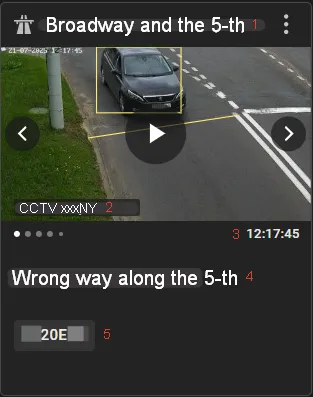
Here:
- 1: Road object name
- 2: Camera name
- 3: Timestamp of the event
- 4: Violation name
- 5: License plate number
- Use the spin buttons to iterate through all available screenshots of the event.
- Click in the middle of the thumbnail to play back the event in the media player.
- Click anywhere inside the thumbnail to open the event detail sidebar on the right.
The violation cards contain the most relevant snapshots to provide solid evidence for the justified response to the violation. For instance, the snapshots show exactly the car crossing the entry and exit lines for a "Forbidden maneuver" violation, and the car's license plate.